PlayCricket Scorer Detector
A downloadable tool for Android
Score Detector
Real-time cricket score detection and BLE broadcasting app for Android
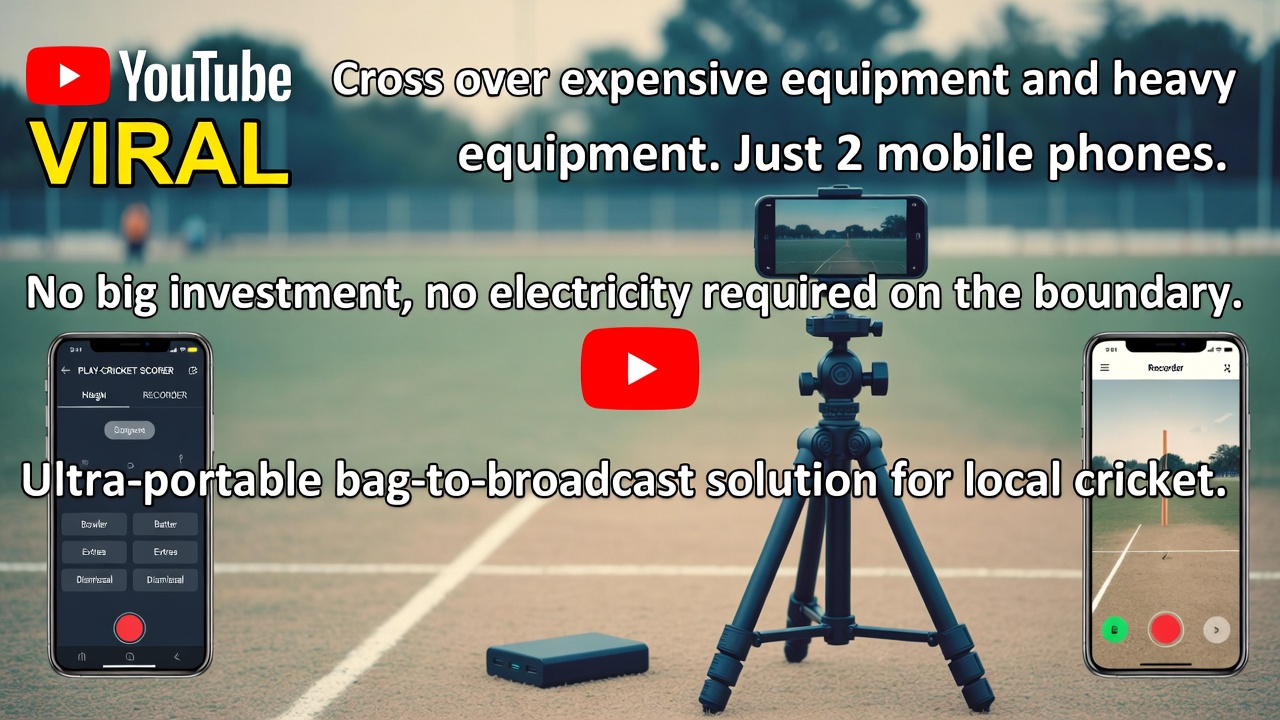
Score Detector automatically captures live cricket scores from your scorer app and broadcasts them via Bluetooth Low Energy (BLE) to external displays, scoreboards, or companion devices.
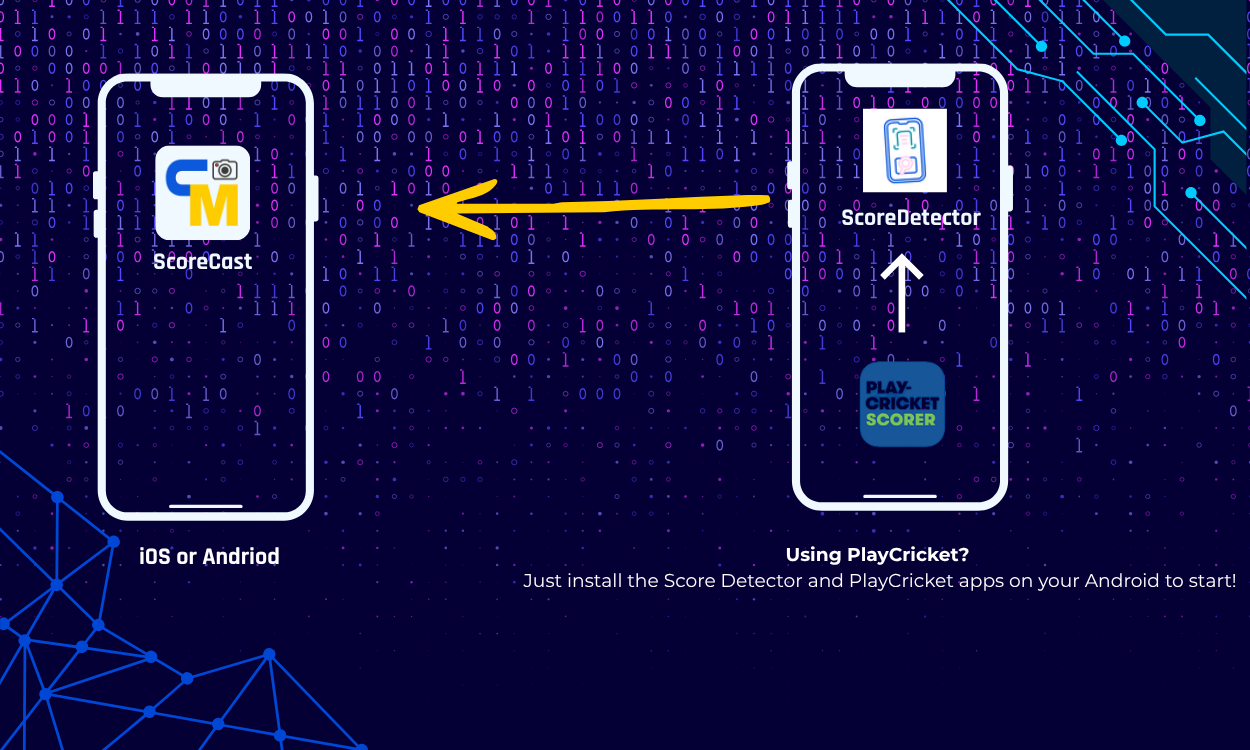
ScoreCast iOS app: https://apps.apple.com/us/app/scorecast/id6760474414
ScoreCast Andriod app: https://play.google.com/store/apps/details?id=com.clubsmaster.scorecast

Features
- On-Screen Detection - Automatically detects and captures scores from any third-party scorer app running on your device
- BLE Broadcasting - Transmits live score data via Bluetooth Low Energy to connected devices
- Real-time Updates - Ball-by-ball score transmission as the match progresses
- Background Operation - Continues working while you use your scorer app
- No Internet Required - Works completely offline via local BLE connection
How It Works
Score Detector uses Android's Accessibility Service to read on-screen score information from third-party cricket scorer apps. When you enter scores in your preferred scorer app, Score Detector:
- Detects the score change on screen
- Extracts match data (runs, wickets, overs, batsmen, etc.)
- Broadcasts the data via BLE to any connected devices
┌─────────────────┐ ┌──────────────────┐ ┌─────────────────┐ │ Third-Party │────▶│ Score Detector │────▶│ BLE Receiver │ │ Scorer App │ │ (This App) │ │ (Scoreboard/ │ │ │ │ │ │ Display) │ └─────────────────┘ └──────────────────┘ └─────────────────┘
Privacy Note: The app only reads visible on-screen text that you can already see. It does not access any databases, credentials, or internal app data.
Requirements
| Requirement | Details |
|---|---|
| Android Version | 7.0 (Nougat) or higher |
| Bluetooth | BLE (Bluetooth Low Energy) support required |
| Scorer App | Any third-party cricket scorer app installed |
Installation
Step 1: Download the APK
- Go to the Releases page
- Download the latest
score-detector.apkfile - Transfer to your Android device if downloaded on computer
Step 2: Enable Unknown Sources
Before installing, you need to allow installation from unknown sources:
Android 8.0 and above:
- Open the downloaded APK file
- Android will prompt you to allow installation from this source
- Tap Settings → Enable Allow from this source
- Go back and tap Install
Android 7.x:
- Go to Settings → Security
- Enable Unknown sources
- Open the APK and tap Install
Step 3: Install the App
- Open the downloaded
score-detector.apk - Tap Install
- Wait for installation to complete
- Tap Open or find "Score Detector" in your app drawer
Setup Guide
1. Grant Permissions
When you first open the app, you'll need to grant several permissions:
| Permission | Why It's Needed |
|---|---|
| Bluetooth | To broadcast scores via BLE to receivers |
| Nearby Devices | Required on Android 12+ for BLE |
| Location | Required by Android for BLE scanning (no location data is collected) |
| Notifications | To show status when running in background |
| Display over other apps | For floating status indicators |
Tap Allow for each permission when prompted.
2. Enable Accessibility Service
This is the most important step for score detection to work.
Method 1: From the App
- Open Score Detector
- Tap the "Enable Accessibility" button
- You'll be taken to Android Settings
- Find "Score Detector" in the list
- Tap on it and toggle ON
- Tap Allow on the confirmation dialog
Method 2: Manual Setup
- Open Settings on your phone
- Go to Accessibility
- Look for Downloaded apps or Installed services
- Find "Score Detector"
- Tap on it and toggle ON
- Confirm by tapping Allow
Note: Android shows a security warning for all accessibility services. This is normal. Score Detector only monitors cricket scorer apps and does not collect any personal data.
3. Start Score Detection
- Open Score Detector app
- Tap "Start Detection" or "Start Monitoring"
- You'll see a notification indicating the service is running
- Now open your third-party cricket scorer app
- Start scoring - Score Detector will automatically capture the scores!
4. Connect Your Receiver Device
Score Detector broadcasts as a BLE peripheral. To receive scores on another device:
- On your receiver device (scoreboard, display, companion app), scan for BLE devices
- Look for a device named
ScoreCtrl_XXXX(XXXX is a unique identifier) - Connect to the device
- Subscribe to notifications on the score characteristic
BLE Connection Details:
| Parameter | Value |
|---|---|
| Device Name | ScoreCtrl_XXXX
|
| Service UUID | 6E400001-B5A3-F393-E0A9-E50E24DCCA9E
|
| Characteristic UUID | 6E400002-B5A3-F393-E0A9-E50E24DCCA9E
|
Testing Your Setup
Using nRF Connect (Recommended)
You can test if BLE broadcasting is working using the free nRF Connect app:
- Install nRF Connect on a second Android device
- Open nRF Connect and tap Scan
- Look for
ScoreCtrl_XXXXin the device list - Tap Connect
- Expand the service
6E400001-B5A3-F393-E0A9-E50E24DCCA9E - Tap the three down arrows (subscribe to notifications) on characteristic
6E400002 - Now enter a score in your scorer app
- You should see score data appear in nRF Connect!
Supported Cricket Formats
Score Detector works with all standard cricket formats:
| Format | Overs | Notes |
|---|---|---|
| T20 | 20 | Twenty20 cricket |
| ODI | 50 | One Day International |
| Test | Unlimited | Multi-day format |
| T10 | 10 | Ten10 cricket |
| Custom | Any | User-defined overs |
Troubleshooting
Score Detection Not Working
| Problem | Solution |
|---|---|
| Scores not being detected | Make sure Accessibility Service is enabled (see Setup Step 2) |
| Service keeps turning off | Disable battery optimization for Score Detector (see below) |
| App crashes when detecting | Restart the app and re-enable accessibility service |
BLE Broadcasting Issues
| Problem | Solution |
|---|---|
| Device not appearing in scan | Make sure Bluetooth is ON and Location permission is granted |
| Connection keeps dropping | Move devices closer (BLE range is ~10 meters) |
| No data being received | Subscribe to notifications on the characteristic |
Battery Optimization
Some Android devices aggressively close background apps. To prevent Score Detector from being killed:
Stock Android
- Settings → Apps → Score Detector
- Battery → Unrestricted
Samsung
- Settings → Device Care → Battery
- App power management → Apps that won't be put to sleep
- Add Score Detector
Xiaomi / MIUI
- Settings → Apps → Manage apps
- Find Score Detector → Autostart → Enable
- Also: Settings → Battery → App battery saver → Score Detector → No restrictions
Huawei / EMUI
- Settings → Battery → App launch
- Find Score Detector → Disable automatic management
- Enable: Auto-launch, Secondary launch, Run in background
OnePlus / OxygenOS
- Settings → Battery → Battery optimization
- Find Score Detector → Don't optimize
Frequently Asked Questions
Is this app safe to use?
Yes. Score Detector only reads visible on-screen text from your scorer app. It cannot access any private data, passwords, or internal app storage.
Does it work offline?
Yes! Score Detector uses Bluetooth Low Energy which works without internet. Both your phone and the receiver device just need to be within BLE range (~10 meters).
Which scorer apps are supported?
Score Detector is designed to work with popular third-party cricket scorer apps. The detection works by reading on-screen score information, so it should work with most scorer apps that display standard cricket score formats.
Does it drain battery?
The app is optimized for low battery usage. BLE broadcasting is very power-efficient. However, keeping the accessibility service running does use some additional battery.
Can I use this during official matches?
Score Detector is intended for personal use, club matches, and informal games. Check with your league or organization regarding their policies on electronic scoring aids.
How many devices can receive the score?
Multiple devices can connect and receive scores simultaneously via BLE.
Privacy & Security
- No Data Collection - Score Detector does not collect, store, or transmit any personal information
- No Internet Required - All communication happens locally via Bluetooth
- No Account Needed - Use the app without signing up or logging in
- Read-Only Access - The accessibility service can only read screen content, it cannot interact with or modify other apps
Technical Specifications
| Specification | Value |
|---|---|
| Minimum Android | 7.0 (API 24) |
| Target Android | 15 (API 36) |
| Bluetooth | BLE (Bluetooth Low Energy) |
| Update Frequency | Real-time (per score change) |
Changelog
Version 1.0
- Initial release
- On-screen score detection from third-party scorer apps
- Real-time BLE broadcasting to connected devices
- Support for T20, ODI, Test, and custom formats
- Background service with notification
Support
Having issues? Here's how to get help:
- Check the Troubleshooting section above
- Search existing Issues to see if your problem is already reported
- Open a new Issue with:
- Your Android version
- Device model
- Description of the problem
- Steps to reproduce
License
This project is provided for personal and non-commercial use.
Disclaimer
Score Detector is provided as a free utility for the cricket community. By downloading and using this application, you agree to the following terms:
- Independent Project: Score Detector is an independent project and is not affiliated with, endorsed by, or connected to any cricket boards, leagues, scorer app developers, or cricket organizations.
- Third-Party Compatibility: This app reads on-screen data from third-party scorer applications. We have no control over changes made to third-party apps, which may affect compatibility. The developers are not responsible for any issues arising from third-party app updates or changes.
- Accessibility Service: This app uses Android's Accessibility Service to read on-screen scores. This is a standard Android feature used by many legitimate apps.
- User Responsibility: You are responsible for ensuring your use of this app complies with applicable regulations and the terms of service of any third-party applications you use.
- Limitation of Liability: The developers shall not be held liable for any direct, indirect, or consequential issues arising from the use of this application.
- No Affiliation: Any trademarks, product names, or logos mentioned belong to their respective owners. Score Detector has no affiliation with any third-party scorer app developers.
By installing Score Detector, you acknowledge that you have read and accepted these terms.
Made for cricket enthusiasts who want real-time score broadcasting
Download
Install instructions

Leave a comment
Log in with itch.io to leave a comment.